Keep your small website safe, and know what to do if it isn't

A safe site is patched, locked and backed up. Most of the daily habits need no special skills.

Security is about reducing risk, not removing it.[1] This site shows the habits that reduce it most.
Start with the basics → NewMy site was hacked → New

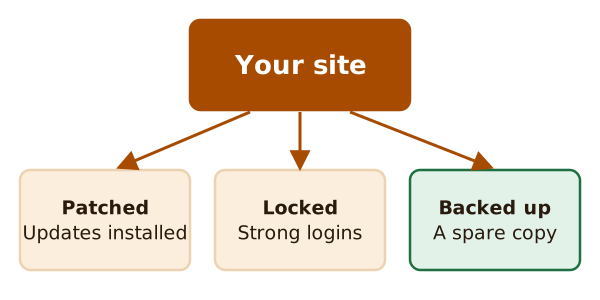
Your site at the top with three arrows pointing down to three boxes: patched with updates installed, locked with strong logins, and backed up with a spare copy.
A safe site is patched, locked and backed up.

Pick a job

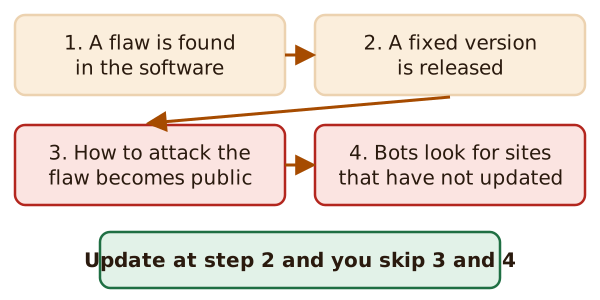
Four steps: a flaw is found, a fixed version is released, how to attack the flaw becomes public, and bots look for sites that have not updated. A note says updating at step 2 skips steps 3 and 4.
Updating early means you skip the steps where attackers move in.

Keep it patched

Why old software is the way in, and a routine to keep up.
How this site works

  • Every guide page lists its sources at the bottom.
  • The pictures are drawn for this site, except screenshots of a test WordPress site.
  • There are no ads, affiliate links or sponsors.

Quick answers

Is my site too small to be a target?

Many attacks are carried out by bots, so being small won't keep you safe on its own.[1] Read how small sites get hacked.

Is a strong password enough?

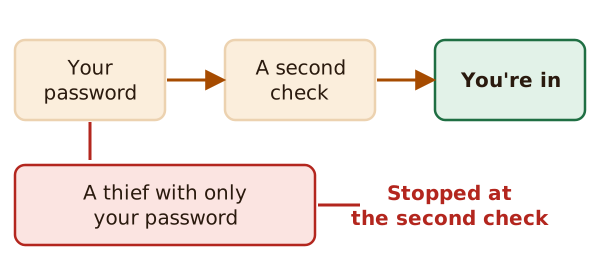
It helps, but alone it's no longer enough.[2] Add a second check. See logins and two-factor.

What do I do first after a hack?

Write down what you see. Documentation is the first step.[3] Then follow the recovery steps.

Can I recover?

Yes. WordPress's own help page says you will recover from this.[3]

Newest pages

Sources

  1. Hardening WordPress, Advanced Administration Handbook, WordPress Developer Resources (accessed 2026-11-12)
  2. Require Multifactor Authentication, CISA (US Cybersecurity and Infrastructure Security Agency) (accessed 2026-11-12)
  3. FAQ My site was hacked, WordPress.org Documentation (accessed 2026-11-12)